Stussy Hoodie Color and Size Mismatch Fix
- Editorial notes
# Stussy Hoodie Color and Size Mismatch Fix If the [Stussy](https://fashion-reps.net/brand/stussy) [hoodie](https://fashion-reps.net/hoodies) color, size, or quantity you saw on fashion-reps doesn't match your shopping cart, order confirmation page, or payment record, don't proceed to payment yet, and don't guess the variant based solely on product images. This article addresses only one issue: what to do when order-related fields show inconsistencies, how to verify, and decide whether to pause.
If the Stussy hoodie color, size, or quantity you saw on fashion-reps doesn't match your shopping cart, order confirmation page, or payment record, don't proceed to payment yet, and don't guess the variant based solely on product images. This article addresses only one issue: what to do when order-related fields show inconsistencies, how to verify, and decide whether to pause.
After reading, you should be able to do three things: confirm which page the inconsistency appears on, retain enough verification information, and determine whether the order needs to be escalated to the official customer service of your chosen shopping agent. This article is not for cases where warehouse inspection is already complete, preparing to consolidate and ship, or needing to judge authenticity and fabric quality of the actual item.

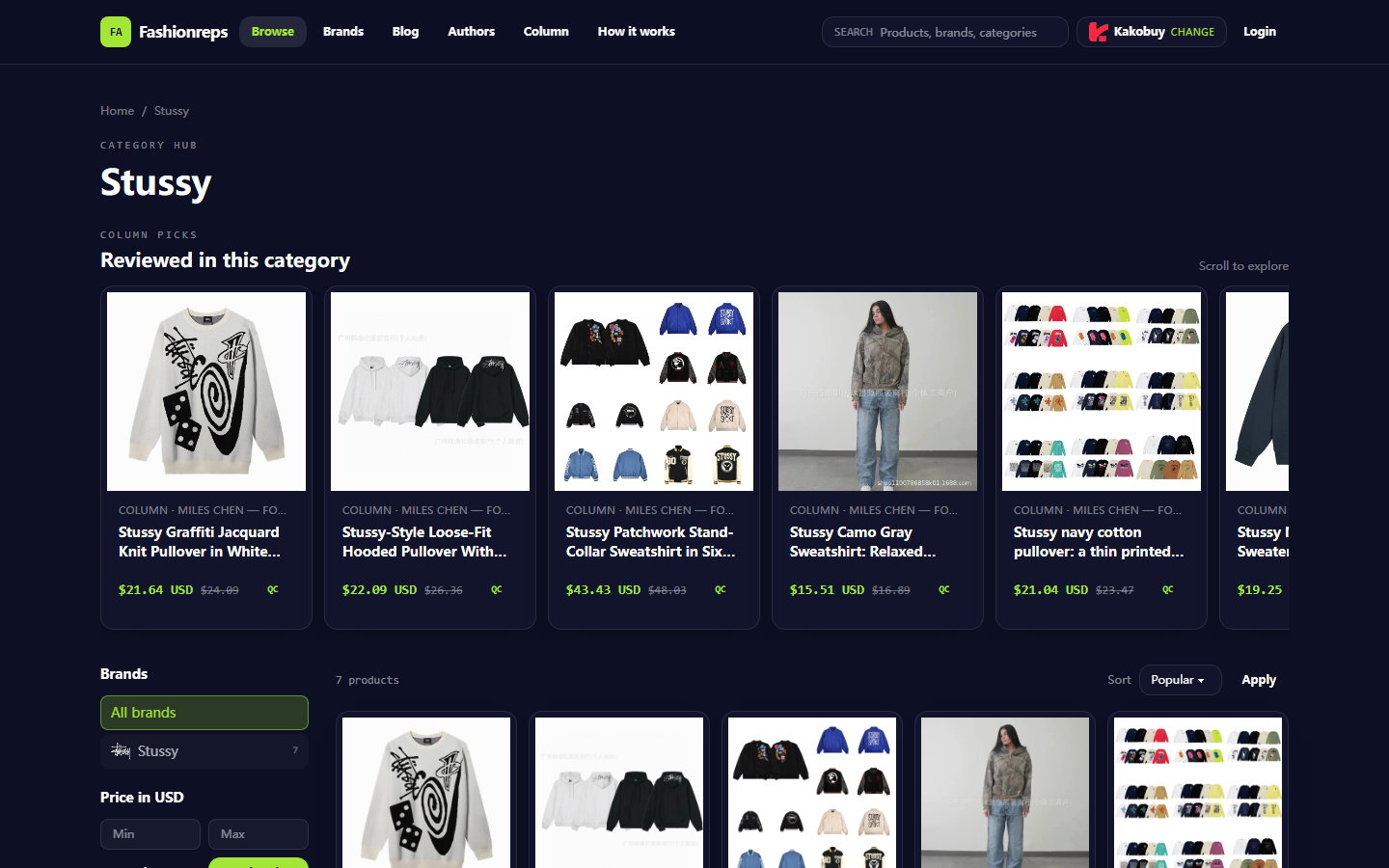
Image: Stussy product category page on fashion-reps. Product titles and reference info on the page can only be used for preliminary verification, not as a substitute for shopping cart, order, or warehouse records.
Identify the Specific Inconsistency in Stussy Order Fields
Common scenarios include:
- Product page shows one color, but shopping cart summary shows another.
- Product page allows selecting a size, but order confirmation page shows a different size.
- Quantity changes after adding to cart.
- Page title, variant buttons, and order summary use different names.
- Shopping cart still shows old content, but reopening the product page shows changed options.
- Pre-payment confirmation page doesn't match previously saved screenshots or records.
These symptoms alone do not prove a system failure on fashion-reps or the external shopping agent. They may also arise from page caching, browser state, re-selecting variants, product page updates, or different data entry methods by the shopping agent. First locate where the discrepancy appears, then decide the next step. 🔎
Go Back to the fashion-reps Product Page to Verify Color, Size, and Quantity
Reopen the corresponding Stussy product page first; don't use old tabs from browser history. Confirm the following:
- Does the product title still correspond to the style you intended to purchase.
- What is the original text of the color option, and are there similar names or codes.
- Does the size option use letters, numbers, or seller-custom labels.
- Is the quantity the amount you planned to buy.
- Does the product page still display properly, not a blank page, error page, or only category filter content.
- Is the reference price still shown, and record the verification date and currency.
As of October 9, 2026, this article is based only on the provided fashion-reps Stussy category page information. That page shows multiple Stussy-related products, with titles, colors, size ranges, and reference prices varying by item; the reference price is not your final payable amount, nor does it indicate that stock, shipping, taxes, or shopping agent fees are finalized.
Don't treat visual impressions like "white," "gray," or "navy" as the actual order variant name. Color names may be custom-set by the seller, and product thumbnails may not accurately show color differences. Record the actual text or code displayed on the page, not judge by images.
Compare Shopping Cart, Order Confirmation Page, and Payment Record
It's recommended to compare item by item in the order pages appear, and write the results in your own verification checklist:
- Product title or product ID
- Color name or variant code
- Size
- Quantity
- Unit price and currency
- Product link or internal record in shopping cart
- Order number on confirmation page
- Payment status
If the product page and shopping cart don't match, do not proceed to payment page yet. Exit and reopen the product page, reselect color and size, then check if the cart updates accordingly.
If the shopping cart and order confirmation page don't match, pause submitting the order, and save screenshots of both pages. Screenshots should retain product fields, page time, and necessary order status, but must cover up name, phone number, address, payment card number, full order number, and other personal information. Do not publicly send complete shipping labels or payment receipts to anyone. 🛑
If the order confirmation page and payment record don't match, first confirm whether payment actually completed. Bank or payment platform deduction status, shopping agent order status, and product order content may not be displayed on the same page. Don't repeatedly pay just because you see pending, authorization in progress, or redirect failure.
Distinguish Between Page Cache, Variant Selection, and Order Entry Issues
You can troubleshoot in the following order:
- Close old product page tabs and reopen the fashion-reps product page.
- Reselect color, size, and quantity on the same page; don't rely on browser auto-restored options.
- Clear old entries of the same item in the cart, confirm no duplicate variants added.
- Reopen the shopping cart and check if product title and variant text are consistent.
- If the cart is correct, proceed to order confirmation page; don't open multiple checkout tabs simultaneously.
- If only one page shows anomaly, record the specific fields and time on that page.
Don't try to "fix" variants by modifying webpage display, using unknown browser extensions, or copying others' order parameters. Visual changes on the webpage don't mean the backend order has changed.
If information is consistent after refreshing, you can proceed to the next verification step; if still inconsistent after refreshing, escalate the issue to the official support channel of the shopping agent you actually chose. fashion-reps pages are for discovering and viewing products; orders, payment, and shipping are handled by external shopping agent websites, so don't submit order modification requests to the wrong platform.
Pausing and Re-verifying Steps for Unpaid Orders
When unpaid, the safest approach is to postpone submission and complete the following actions in order:
- Save screenshots of inconsistent fields on product page and shopping cart.
- Record verification date, product title, color, size, and quantity.
- Close duplicate tabs to avoid multiple pages modifying the same cart simultaneously.
- Re-enter the order confirmation page and proceed only when all fields match.
- If differences remain, contact the official customer service or order help portal of your chosen shopping agent.
When explaining the issue to customer service, send only necessary information, such as draft order number, product title, color, size, and the fields showing discrepancies. Do not send complete payment card information, passwords, ID documents, or publicly identifiable personal addresses. 📋
If customer service cannot confirm the actual order variant, or asks you to continue payment without clear understanding of the item content, stop the operation and wait for explicit written confirmation. Do not default to "pay first, modify later," because modification permissions, time windows, and refund conditions may vary by agent platform.
Preparing Official Support Information for Paid Orders
After payment, do not immediately place another order or repeat payment. First organize the following information:
- Shopping agent name.
- Order number or necessary identification generated by the platform.
- Product title and variant shown on page.
- Differences between shopping cart, order confirmation page, and payment status.
- Payment time, currency, and amount, but do not provide sensitive information from complete payment receipts.
- The specific question you want customer service to confirm, e.g., "What are the color and size recorded in the backend?"
Contact through the official order support, help center, or verified official customer service portal within the shopping agent website. Do not rely on third-party contact information from search results to handle orders, and do not post order information in public comment sections.
After customer service replies, focus on confirming three things: backend recorded color, backend recorded size, and whether it can still be modified before shipping or purchasing. If they only confirm payment success without confirming the product variant, do not interpret payment success as the variant being correct.
Product Variants That Should Not Be Inferred from Images Alone
Product images cannot reliably prove the following:
- Actual purchasable color names.
- Whether a certain size is still in stock.
- Whether the style in the image corresponds to the current product link.
- Whether the seller will ship according to details shown in images.
- Whether page images are bound to backend order records.
Especially do not infer color variants based on lighting, screen display, or thumbnail colors, and do not infer size based on model's body shape. Size selection should be based on a visible size chart, specific measurement information, and order fields confirmable by the shopping agent. Without verifiable size measurements, fit cannot be judged from images alone.
If later entering the warehouse inspection stage, color, size, quantity, and obvious appearance issues should be judged by warehouse-visible records and QC photos; but this is a post-order verification stage and cannot replace pre-payment confirmation.
Final Action: Proceed with Order Flow Only After Evidence Consistency
The final judgment can be simplified to:
- Product page, shopping cart, and order confirmation page all consistent, and payment status clear: you may proceed to the next step while retaining verification records.
- Product page and shopping cart inconsistent: pause, reselect variants and recheck.
- Shopping cart and order confirmation page inconsistent: pause, do not pay, contact the actual shopping agent's official support.
- Paid but backend variant unclear: do not reorder, first request official confirmation.
- Only relying on images, color impressions, or vague customer service replies to judge: stop the operation.
The cost savings from this verification process mainly come from avoiding cancellation, order changes, returns, repurchasing, or extra agent fees caused by buying the wrong variant; it cannot guarantee savings. Increased risk is that pausing or re-verifying may miss stock, price, or seller processing time. It is more suitable for first-time buyers, items with many color and size options, or higher order amounts.
It is not recommended to proceed under the following conditions: order fields still inconsistent, payment status unclear, customer service has not confirmed backend variant, page is invalid, or you cannot safely save and verify necessary evidence. Proceeding after evidence consistency is usually easier to control losses than guessing product variants after the fact. ✅
Article Image

Agent Platform Shopping FAQ
1. Where do I check QC photos on repgalaxy.tips?
When viewing QC pictures, focus on the specific parts of the purchased item. For shoes, check key areas—toe box, heel, and tongue—for stitching, overall structure, and tongue thickness to determine if it's a quality pair. For clothing, look at details like neck labels, logo embroidery, fabric, and flatness of collar and cuffs.
2. What are QC photos on repgalaxy.tips?
All agent platforms have dedicated QC teams. After goods arrive at the platform warehouse, they conduct quality inspection and take QC photos. Usually three photos are taken, and the team checks color, size, specifications, and quantity against the order, as well as quality issues. However, electronics are excluded; only appearance is inspected. If there are quality problems or size/color errors, the team will immediately request a return from the seller to ensure you receive high-quality products.
3. What should I know when using repgalaxy.tips agent platform for the first time?
First-time users accessing the Taobao agent via spreadsheet on repgalaxy.tips generally receive a new-user shipping discount package. You should also check the step-by-step shopping tutorial for beginners.
4. How do I assess product quality on repgalaxy.tips?
To assess product quality, review QC photos—don't rely only on factory photos, which are often retouched. Use QC photos to confirm whether the product meets your specific requirements in detail before deciding to purchase.
Also, remember not to buy extremely cheap items, as they are usually not of good quality.
5. Is the repgalaxy.tips spreadsheet website safe?
The website does not collect any personal information; it only serves as a product catalog for the agent platform. All transactions are conducted on the agent platform.
Editor score 4.2 / 5
Community feedback
5 approved
Reader score 4.2 / 5 (5 ratings)
Wish I read this earlier, my hoodie came in a size down and the color was off white vs cream. Not blaming the guide, my own fault for rushing checkout. Now I always re-open the product page in a second tab and match color + size + qty before hitting pay. Solid checklist.
The part about pausing instead of guessing is correct. Paused my Stussy order for two days because cart said beige and payment record said sand. Turned out the variant id differed by one digit. Fixed it, shipped fine. No drama.
Kinda basic advice but honestly needed. Only thing missing for me was what to do if the mismatch is already paid. I had a size flip from L to XL after payment and the confirmation email was the wrong one. Took screenshots and waited, did not place a second order.
Good that you say do not guess from product pics. Lighting on those hoodie shots makes oatmeal look almost grey. I compared the color name in the cart against the order summary line by line, found a mismatch on quantity too (2 vs 1). Screenshot both pages before you contact anyone, way easier.
This saved me a headache. My cart showed a Stussy hoodie in washed black but the confirmation page said charcoal. I almost paid anyway. Checked the size dropdown again and it had reset to M when I picked L. Refreshed and rebuilt the order, everything matched after that.